Oroxia · Shared plans
Keep the plan
out of the scroll.
A plan lives inside the conversation: the date, the place and everyone’s answer in one card. Nobody has to scroll back to find out what was agreed.
One card.
Every answer.
Propose a plan with a date, time and place. Each person answers for themselves — going, maybe or can’t — and the card shows where things stand. You decide when to share your choice; Oroxia never agrees for you.
- Make a plan from any conversation, or from a trip
- Minimise it to a corner of the chat while you talk it through
- Confirm, cancel or mark it done when it’s settled
An old yes
never confirms a new time.
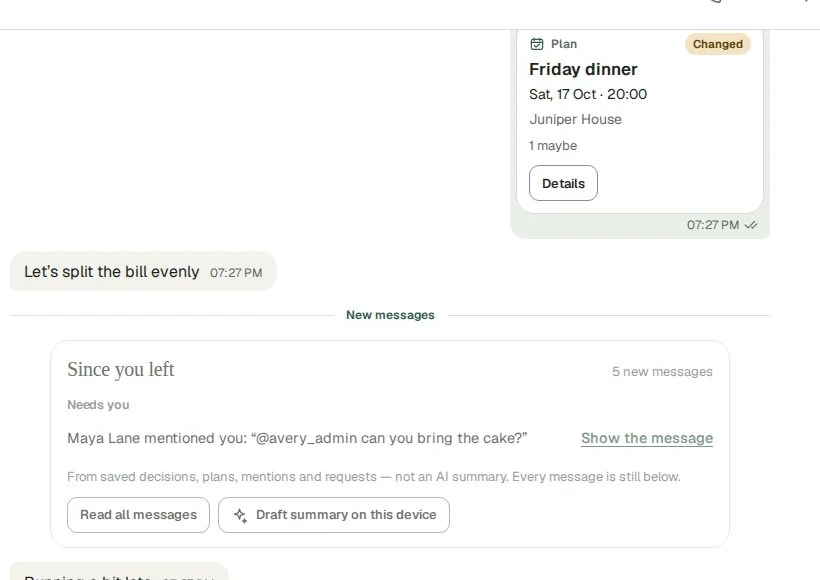
If the date, time, time zone or place changes, Oroxia asks everyone to answer again instead of carrying old answers forward. Your earlier answer is shown for reference, and the plan shows what changed.
- “The time or place changed since you answered” — in plain words
- Plans waiting for your new answer appear in Activity under Needs you
- One tap to answer again
Come back
to what matters.
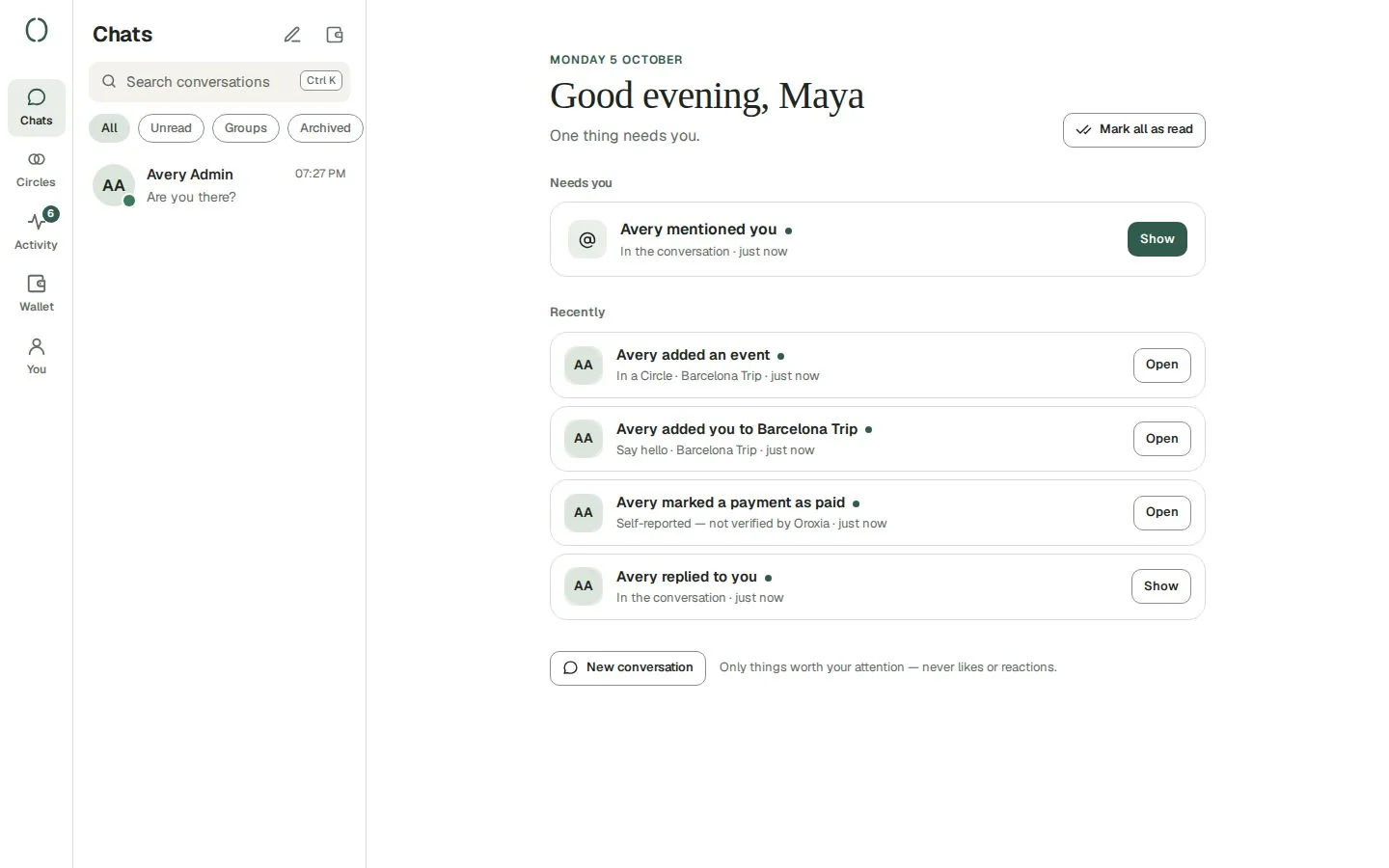
Away for a few hours? “Since you left” shows what needs you — plans to answer, mentions, requests — built from the facts in the conversation, not an AI’s guess. Every message is still there below.
- Activity gathers what needs you across all your chats
- Only things worth your attention — never likes or reactions
- Optional on-device summary if your browser supports it
Good to know
Plans are private to the chat
Only members of the conversation can see a plan and its answers.
Organisers stay in charge
The person who made the plan — or a Circle’s admins — can change details, confirm or cancel it.
Works with trips
Add flights and hotels to a plan and the group compares them in the same place. See flights & hotels.